Withdrawal Application Process
Guidance on Using the Withdrawal Function
📌 1. How to apply Withdrawal in your account
Steps:
- Go to the "Withdrawal" page;
- The system will display your historical recharge records from third-party channels (such as PayPal, Credit Card, Klarna, etc.);
- Click on one of the recharge records, and fill the amount that you want to withdraw;
- Confirm the amount and complete the withdrawal request.
Interface Example:
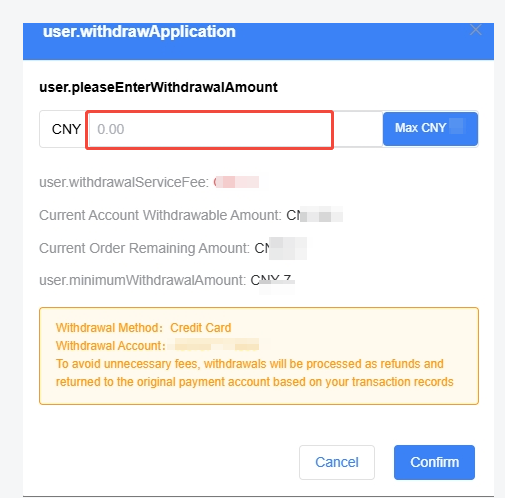
- PC:

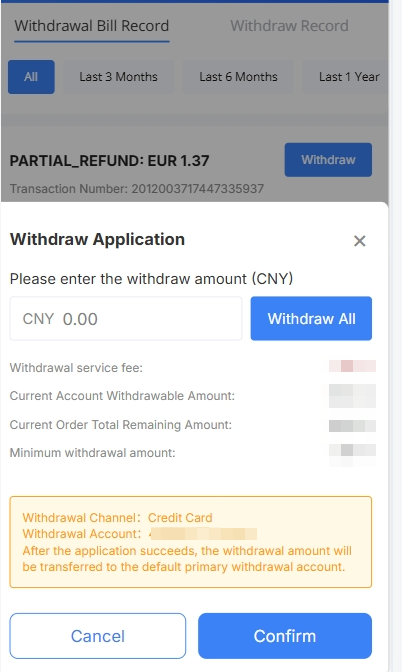
- H5:

📌 2. Request a Withdrawal Refund Proof
Steps:
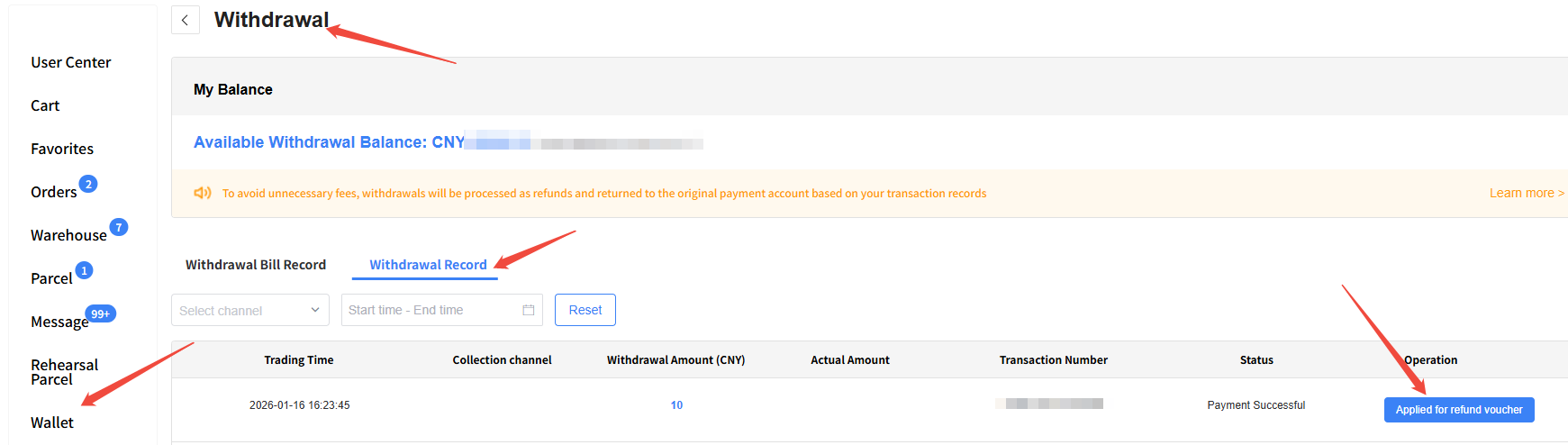
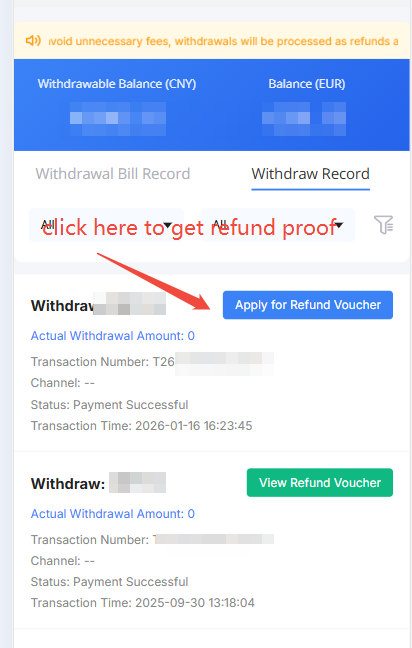
Go to "Wallet" → Click "Withdrawal" → Find the corresponding withdrawal record→ Click "Apply for Refund Voucher".
Interface Example:
- PC:
- H5:
❓ Frequently Asked Questions
Q: What if I cannot find a third-party recharge record to make a withdrawal?
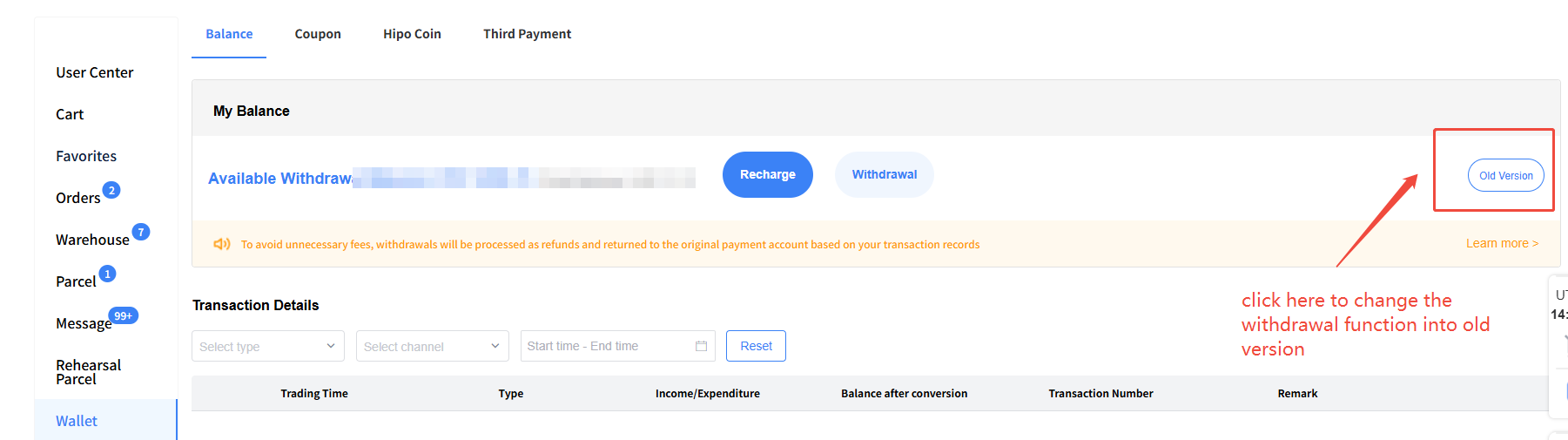
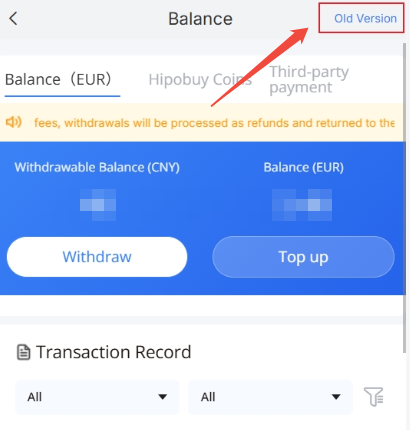
A: If you cannot find a relevant recharge record during withdrawal, you can temporarily switch back to the old withdrawal version and complete the withdrawal by entering the amount manually.