
How to refund your Hipobuy balance?
Hipobuy currently supports two payment methods: Paypal and international credit cards (VISA, Master, Diner, and Discover). If you want to refund your Hipobuy balance back to original payment channel, you can follow the steps below to apply a refund.
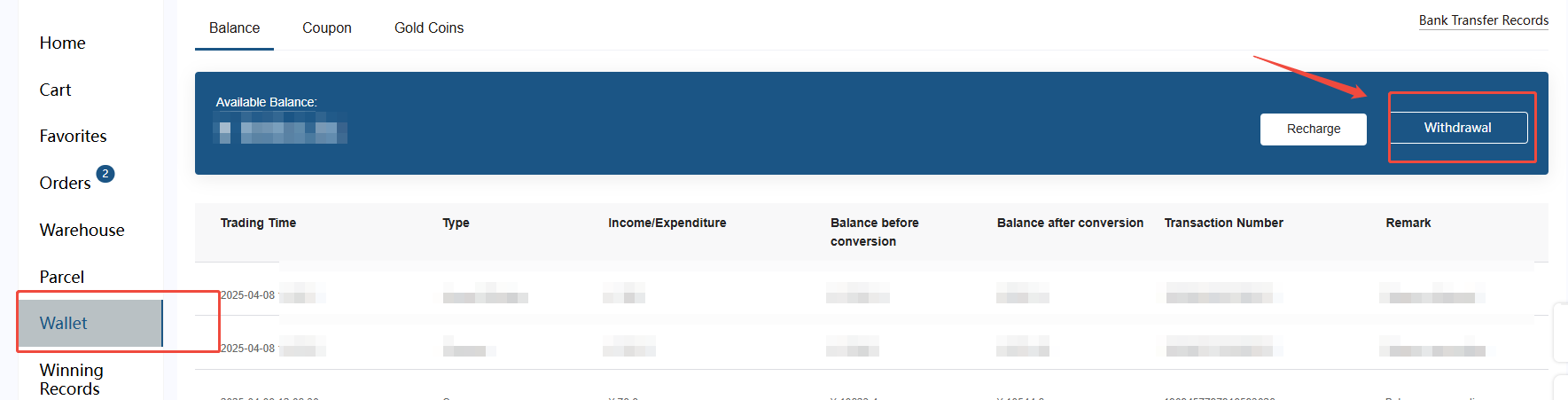
Firstly, enter the "Wallet" interface and click the "Withdrawal" button.
Secondly, when requesting a withdrawal, you will need to provide your receiving account information. Please note that the system will prioritize refunding to your original payment method used for recharge. Refunds will only be processed to the account you provided if any issues arise with the original channel.
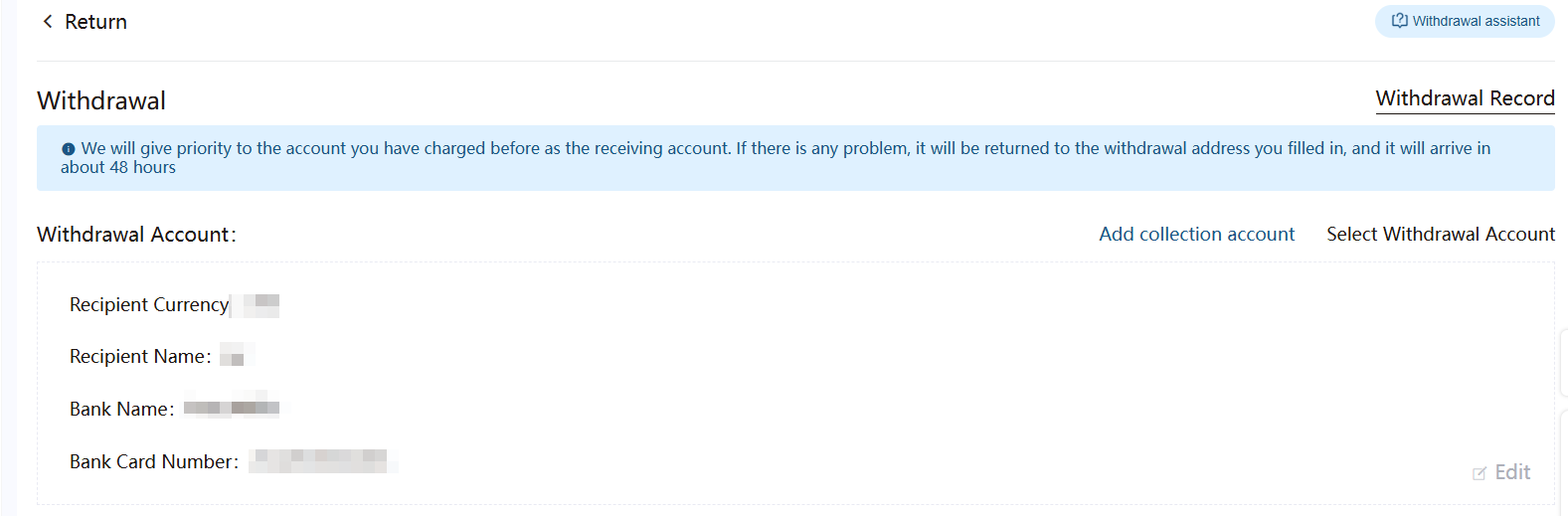
Thirdly, when entering the refund amount, please ensure the requested amount does not exceed your available balance. Once the refund request is approved, the funds will be refunded to the original payment method used for recharge.

Fourthly, after submitting the refund application, you can confirm your refund result on the "Withdrawal Record" interface.
